Scaffold
Rebuild any page. Prove it matches.
For React, HTML and six Power Platform targets. Pro is $8/month, billed yearly.
A real recording in Chrome. No edits, no mockups.
Others stop at React. Scaffold doesn't.
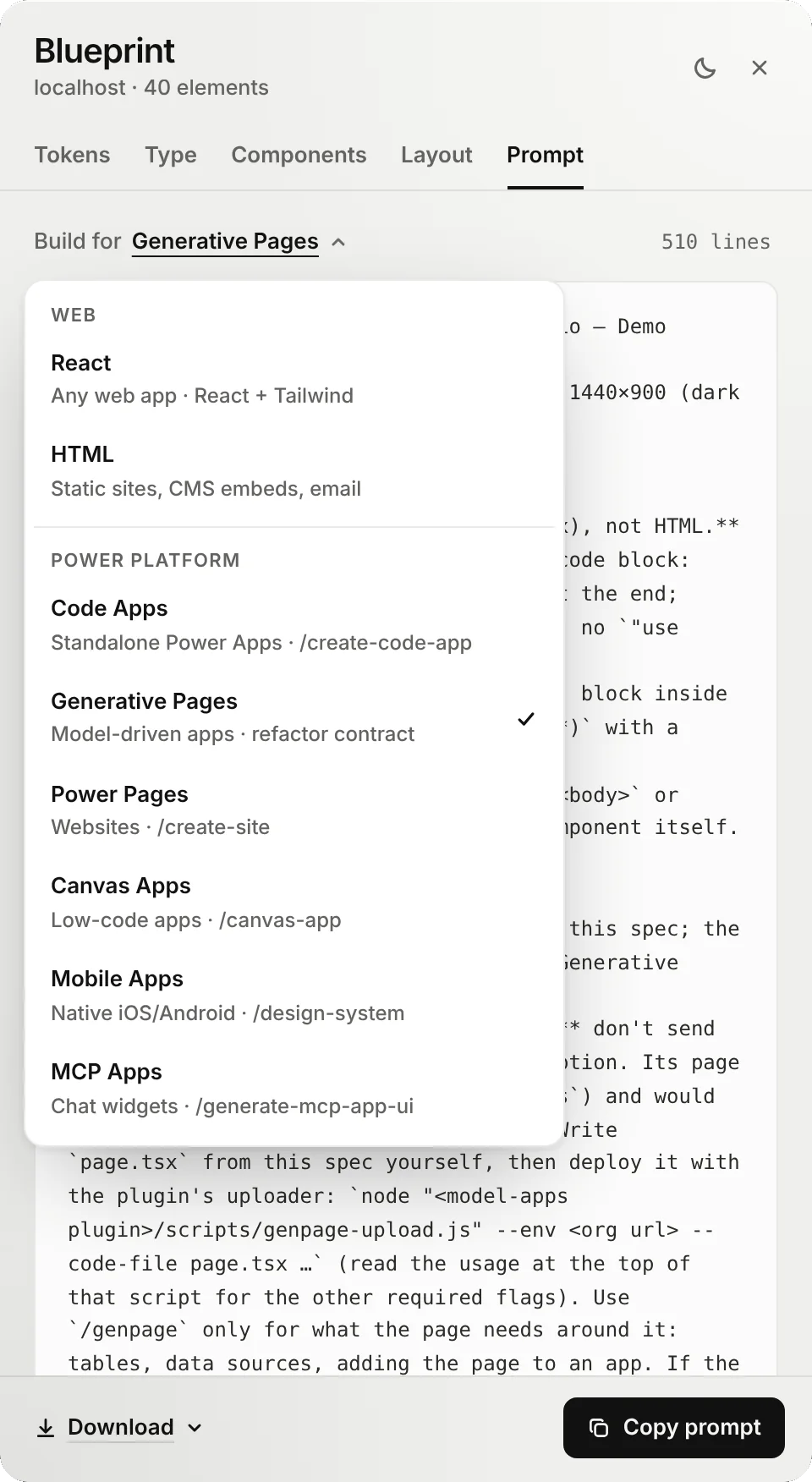
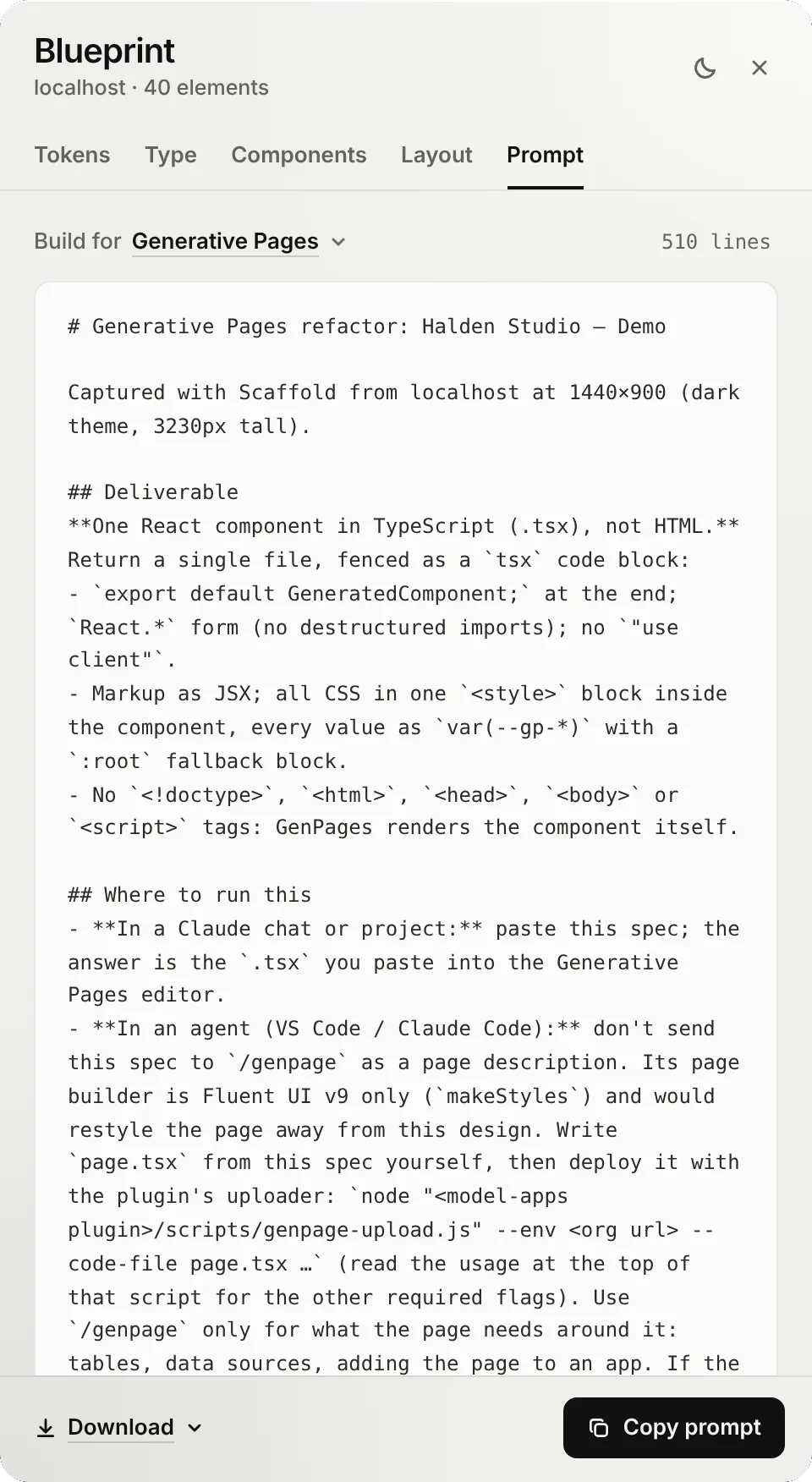
Pick a target and the prompt brings its rules: the right plugin, the right file, the right questions.
Generative Pages
Pages inside model-driven apps.
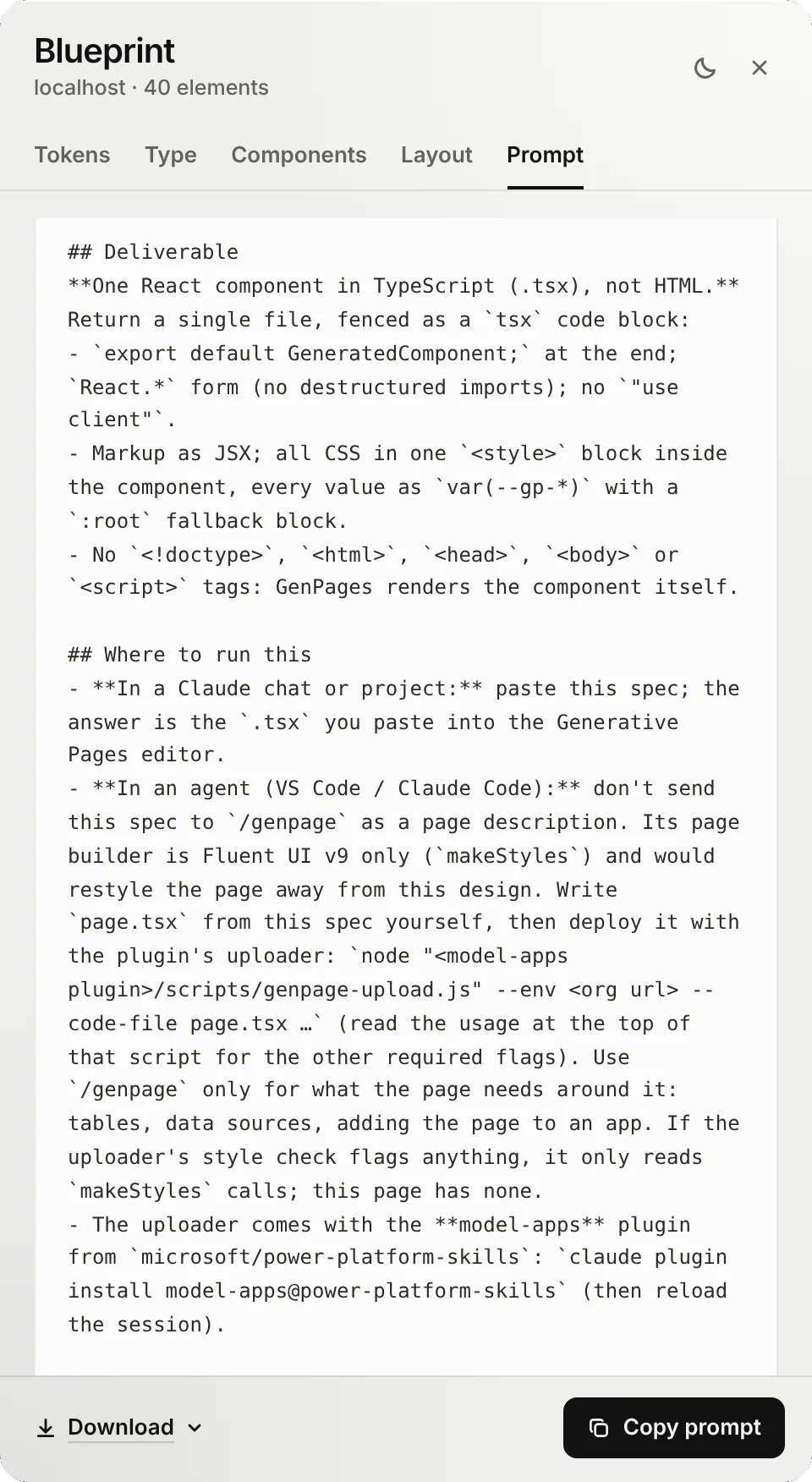
- A .tsx component, never HTML. The deliverable is stated first and last, so the AI can't hand back a web page.
- Every value is a
--gp-*token with a fallback, so the page themes cleanly. - Two ways to ship. Paste the answer into the Generative Pages editor, or have an agent deploy it with the plugin's uploader.
- Keeps your design. The Fluent-only page builder is used for tables and data, not for restyling the page.
Code Apps
Standalone Power Apps in React, TypeScript and Vite.
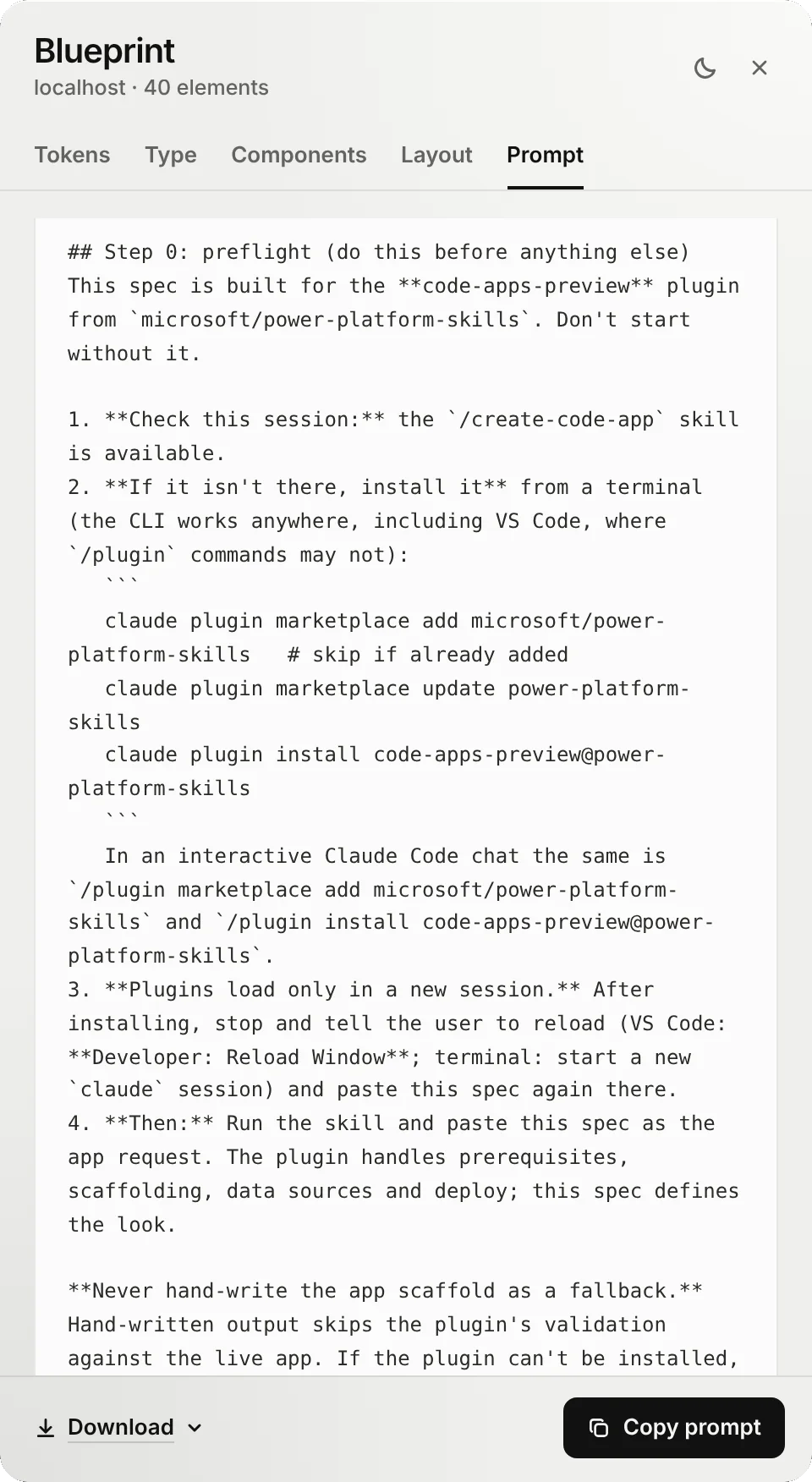
- Checks the plugin first. If
/create-code-appisn't there, it installs it before building anything. - The plugin does the plumbing. Prerequisites, scaffolding, data sources and deploy. The spec defines the look.
- No Fluent theme by default. It would replace your design, so it's only used when you ask.
- Tokens become CSS variables, and components are built once and reused.
Canvas Apps
Low-code apps, built to look like the design.
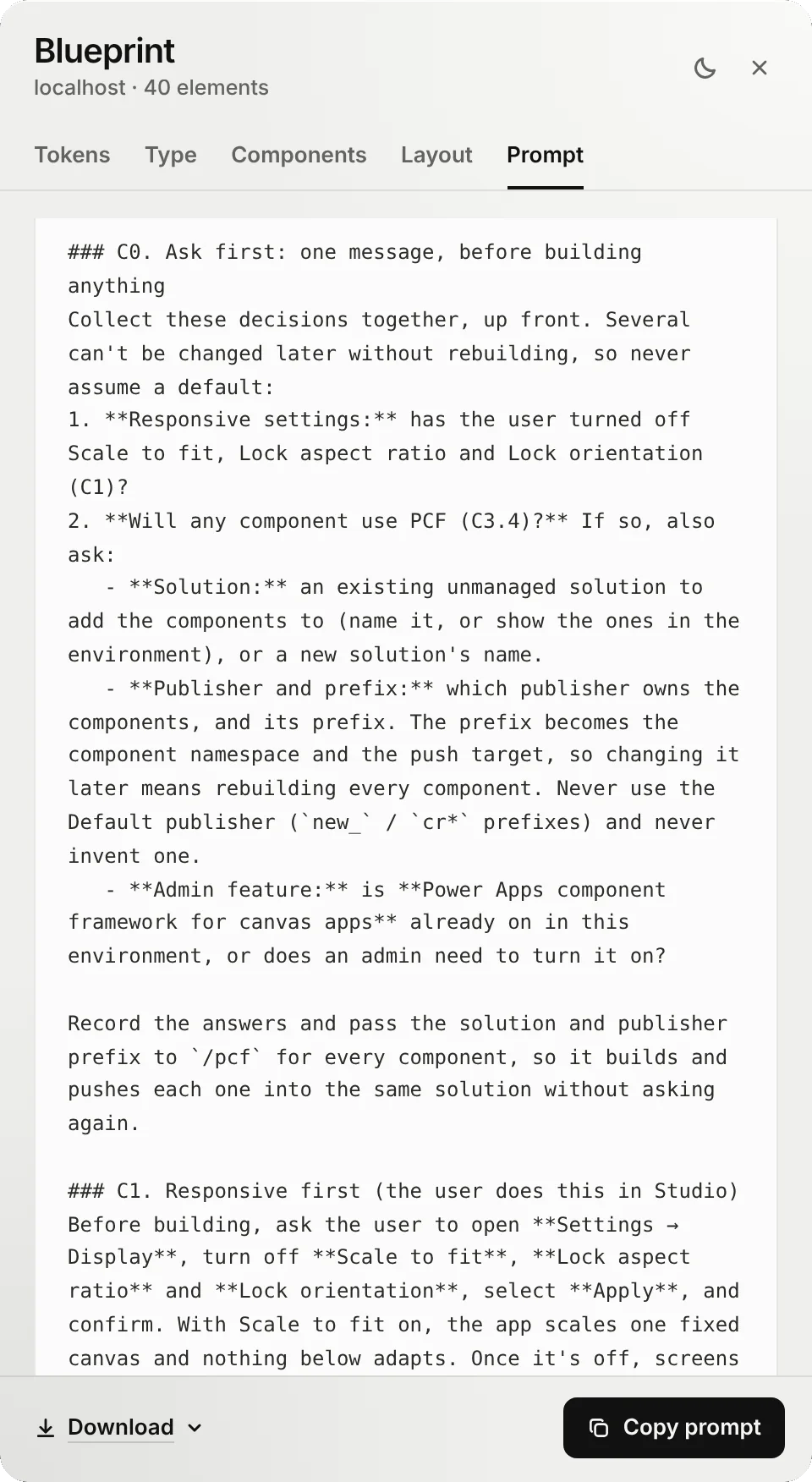
- Asks first, in one message. Responsive settings, solution, publisher and prefix, so PCF components never get rebuilt.
- Responsive from the start. Walks you through turning off Scale to fit, Lock aspect ratio and Lock orientation.
- A render ladder, not default controls. Containers, then SVG, HTML text, PCF components and restyled native controls.
- Tokens as named formulas in
App.Formulas. No literal colors anywhere.
Power Pages
Websites as a React single-page app.
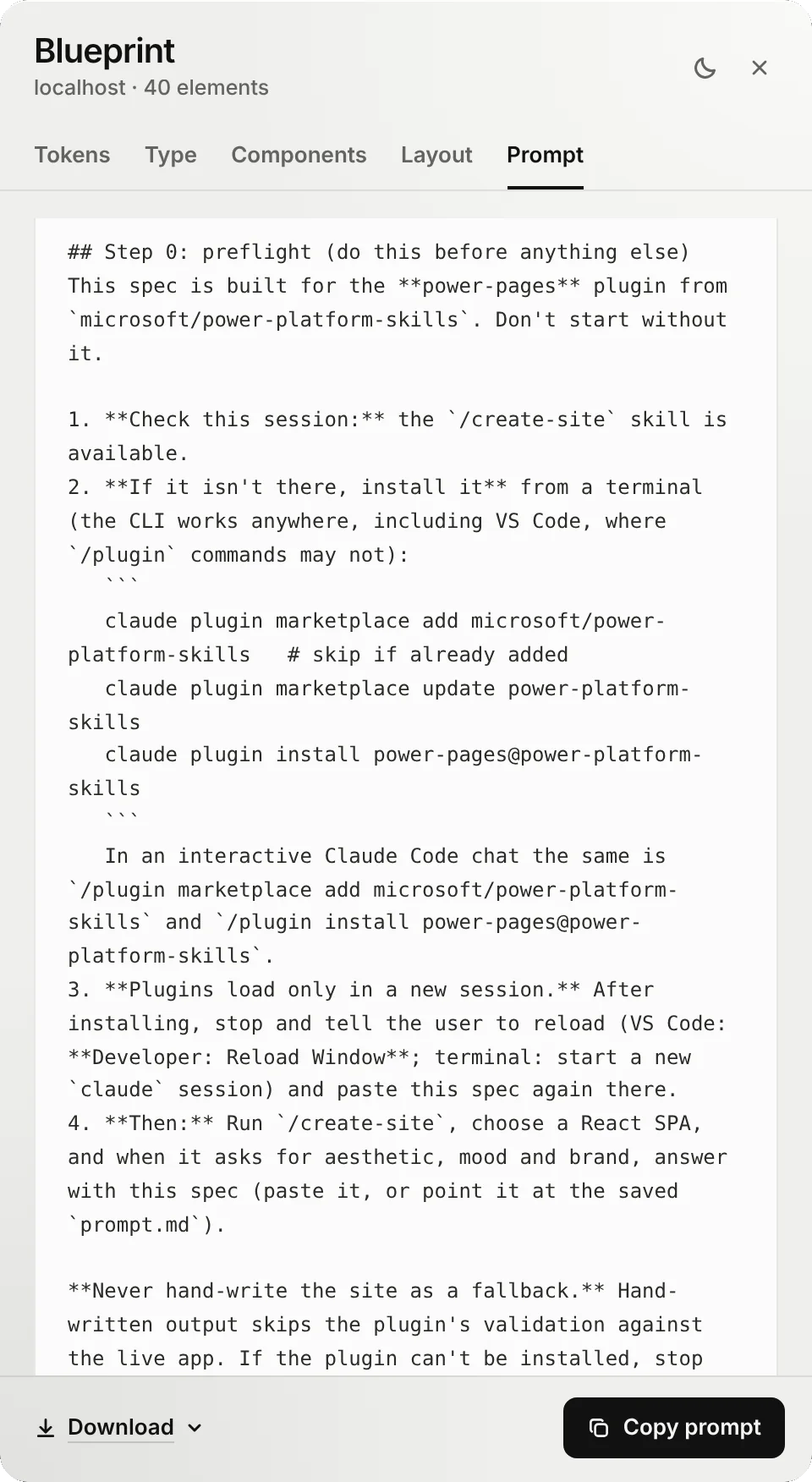
- Checks the plugin first, and installs it if it's missing.
- Answers the brand questions. When
/create-siteasks for aesthetic, mood and brand, the spec is the answer. - One theme. Your tokens become the site theme. No invented palette or font pairing.
- Keeps the platform's rules for localization, right-to-left and accessibility.
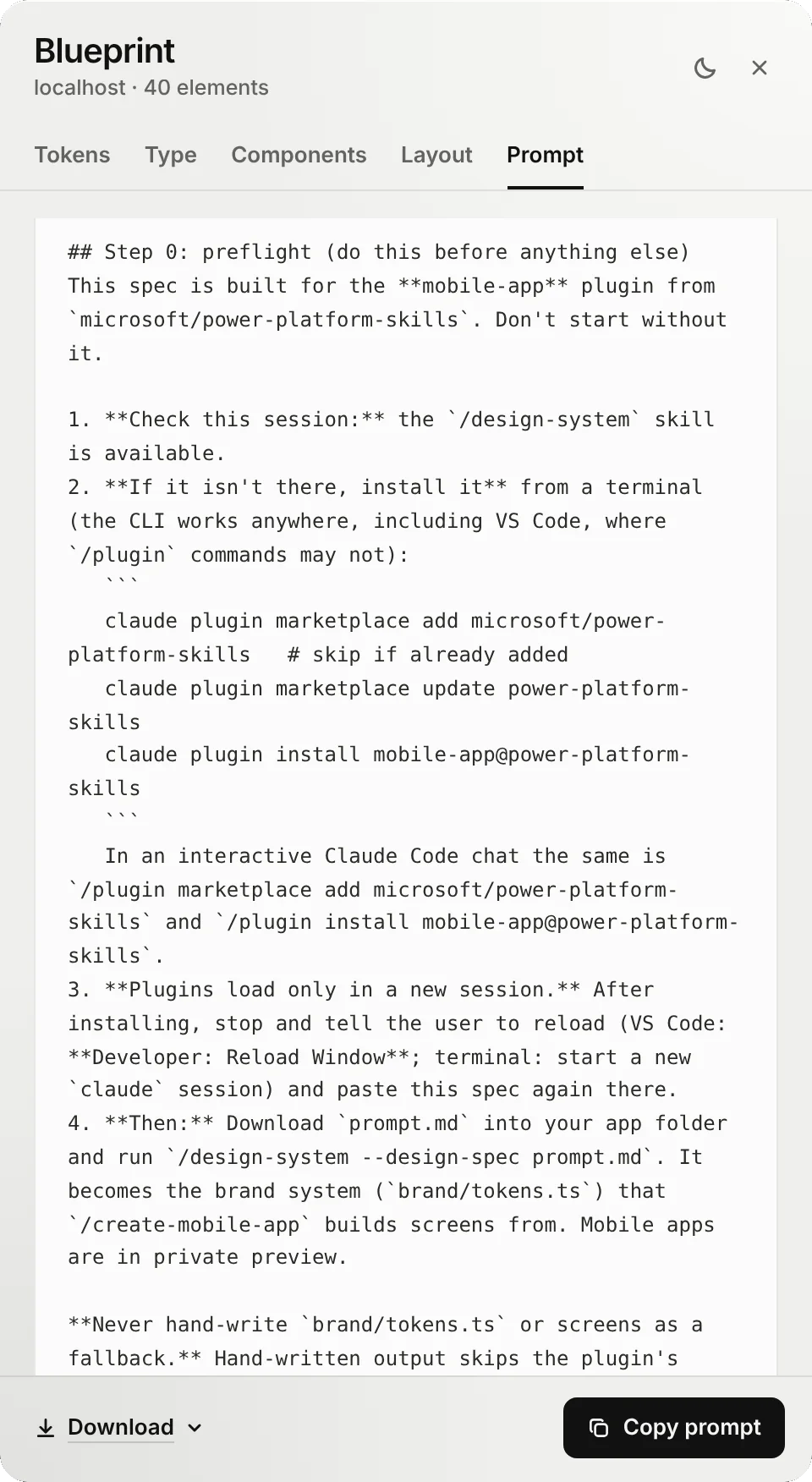
Mobile Apps
Native iOS and Android, in private preview.
- prompt.md becomes the brand system.
/design-systemturns it into the tokens every screen is built from. - Tokens map one to one into Tamagui, keeping the role names.
- Sized for phones. Display sizes scale down about a quarter for small screens.
- Components carry over: buttons, inputs and cards come straight from the capture.
MCP Apps
Widgets that render inside a chat.
- The host theme wins. Fluent variables come first, with your design's values as fallbacks, so light and dark still follow the chat.
- Compact by rule. At most three font sizes, with your radius, spacing and borders.
- No font imports. The host's font stack applies.
- Checks the plugin first, then runs the widget generator with your spec as the visual direction.
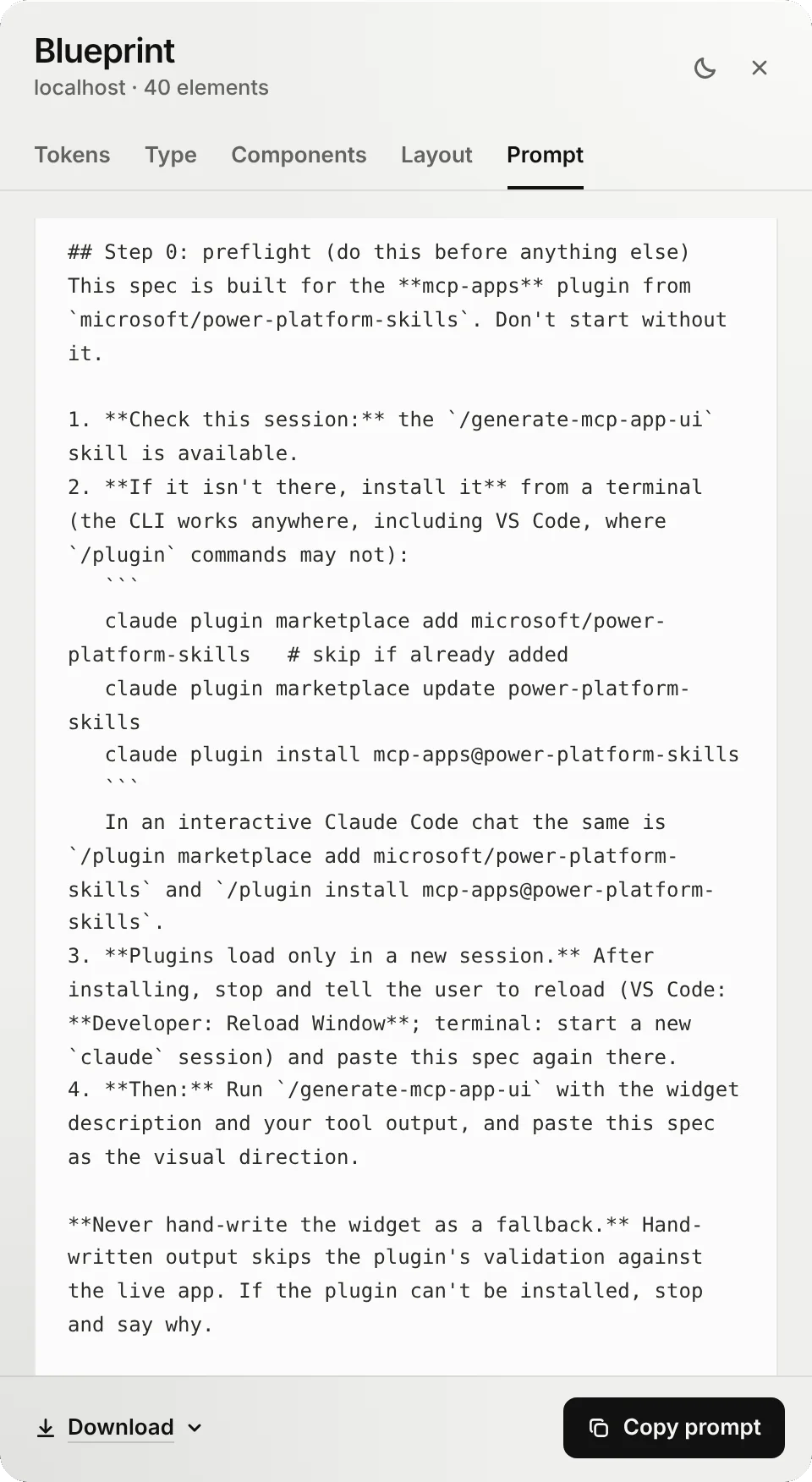
Every Power Platform prompt starts the same way: check that Microsoft's power-platform-skills plugin for that target is installed, install it if it isn't, and never hand-write what the plugin generates.
Building for the web instead? React and HTML prompts are included, free.
Get the highlights.
Watch any page rebuild itself. Six design cursors measure every element, draw its box and put it back.
Record it for a launch reel, or press B and read what it found. H hides the dock for clean footage.
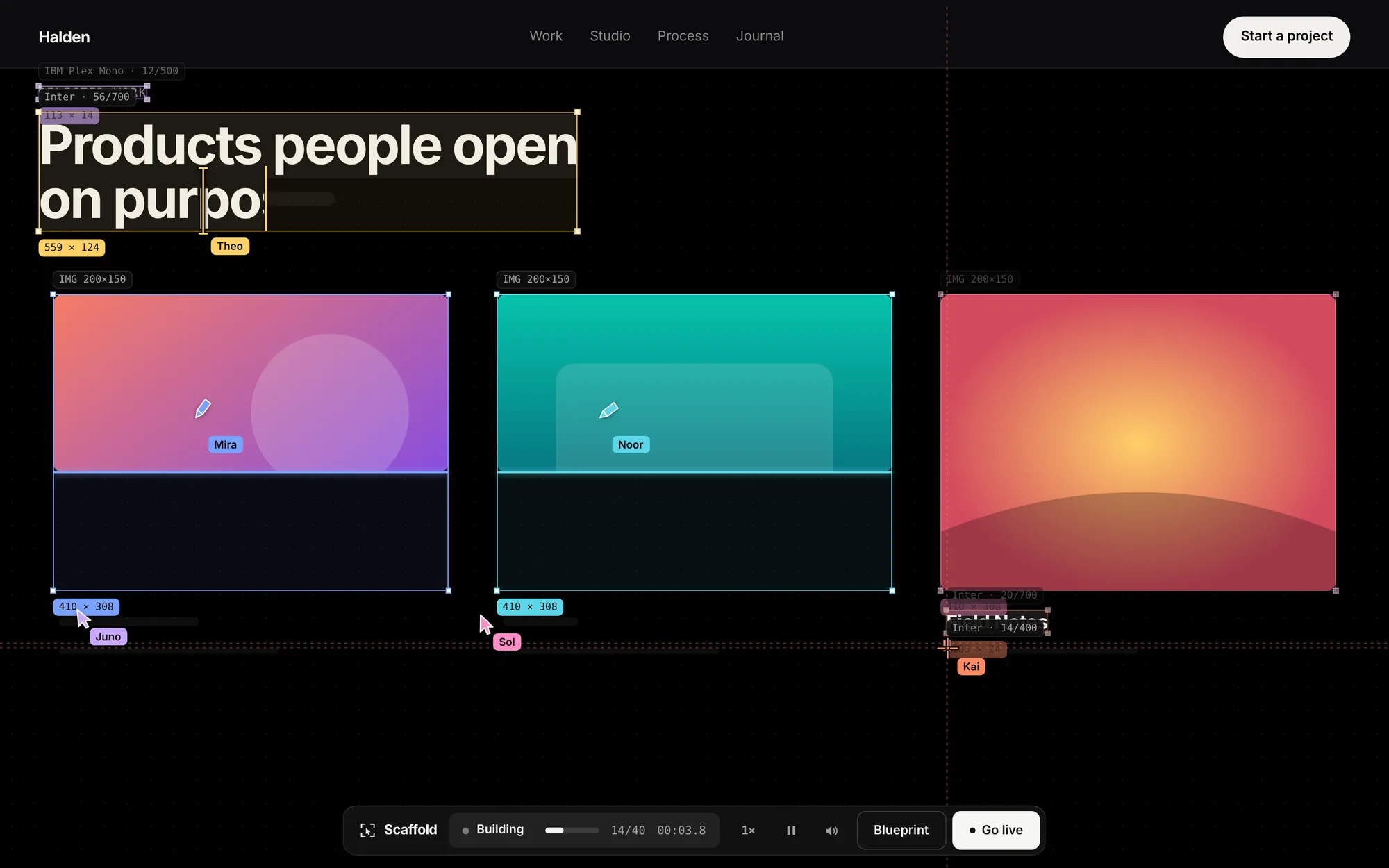
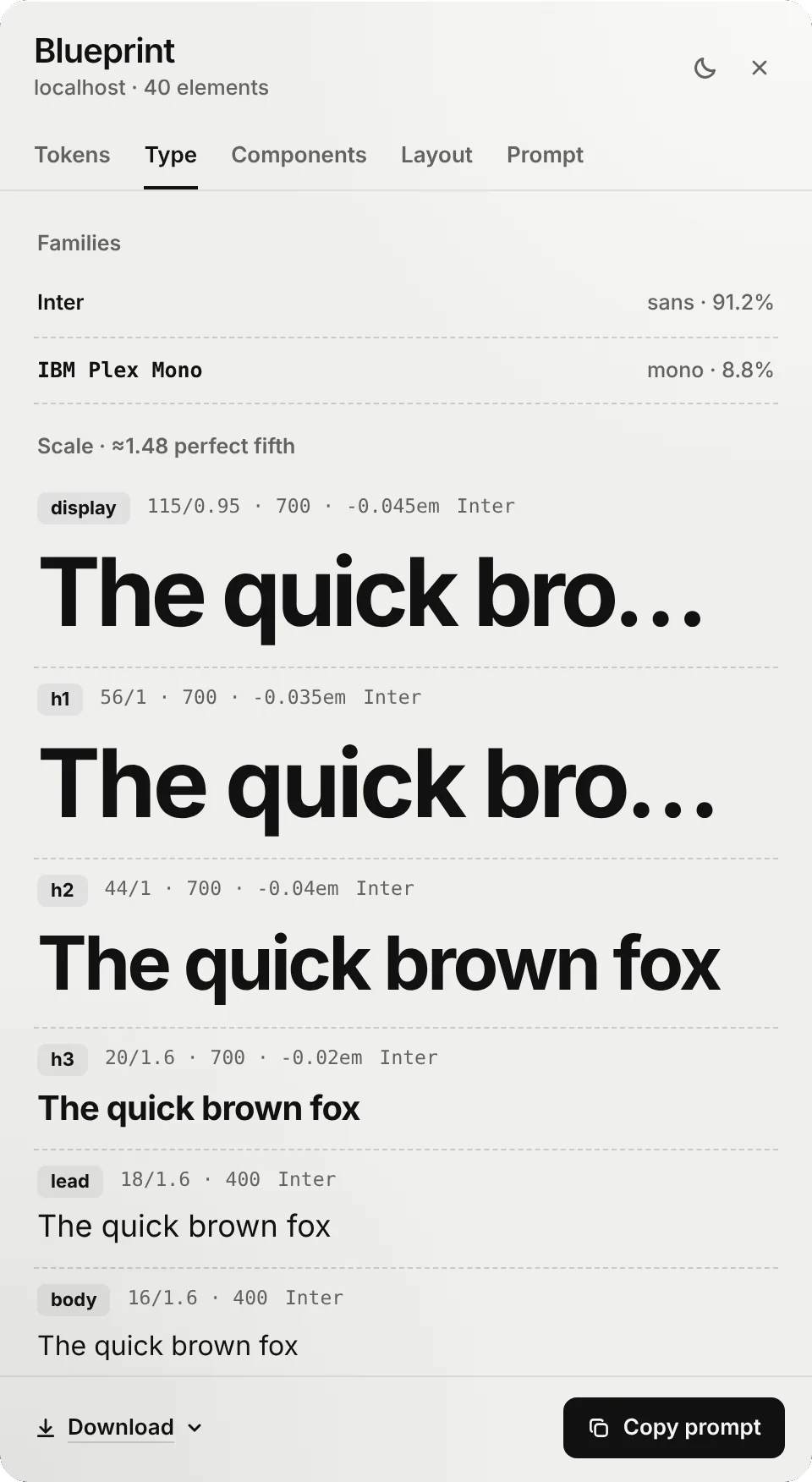
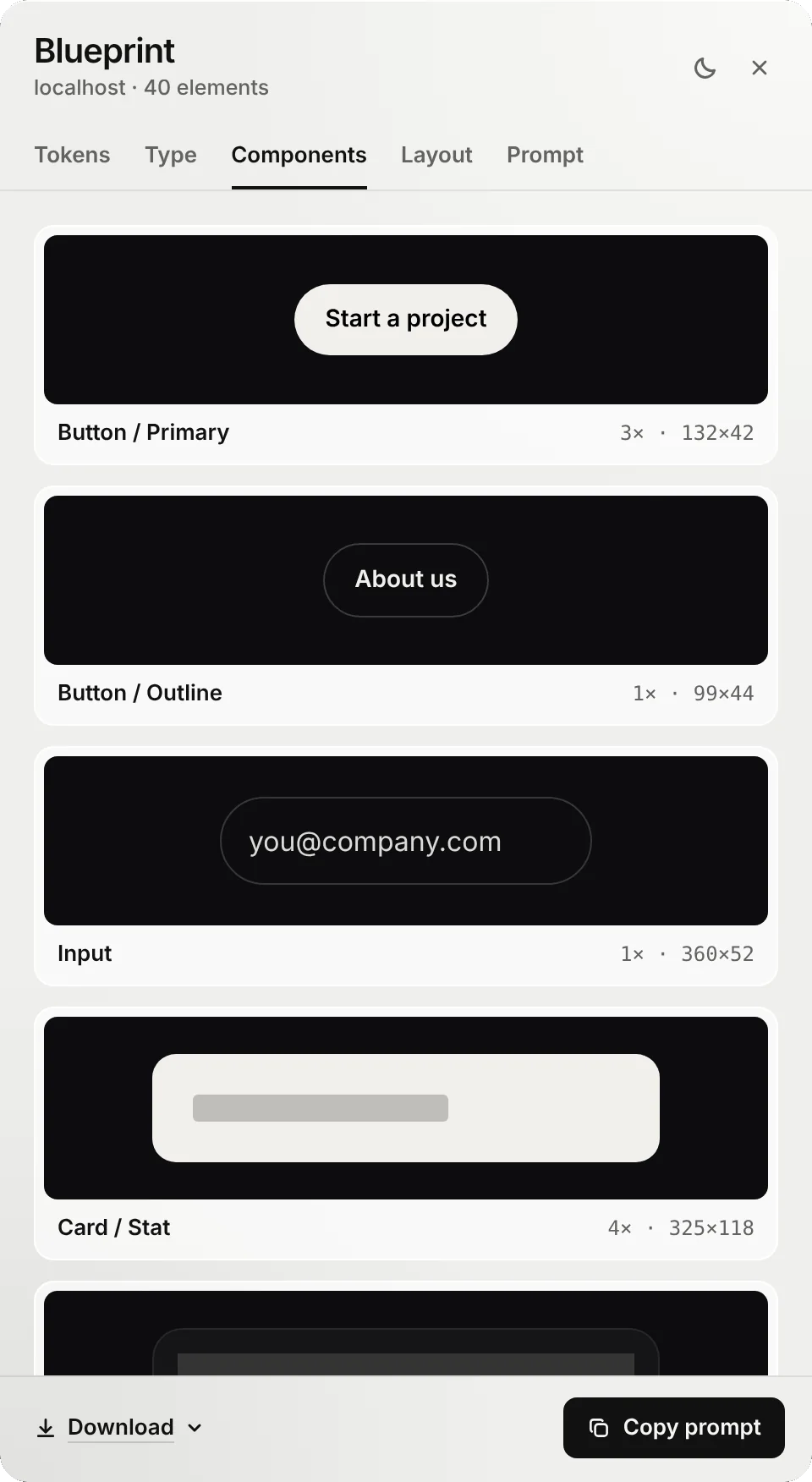
Read the design, not the code. Blueprint pulls the colors, type, spacing, radius and components out of any live page.
Every color comes with its contrast ratio. Spacing snaps to the grid the page actually uses.
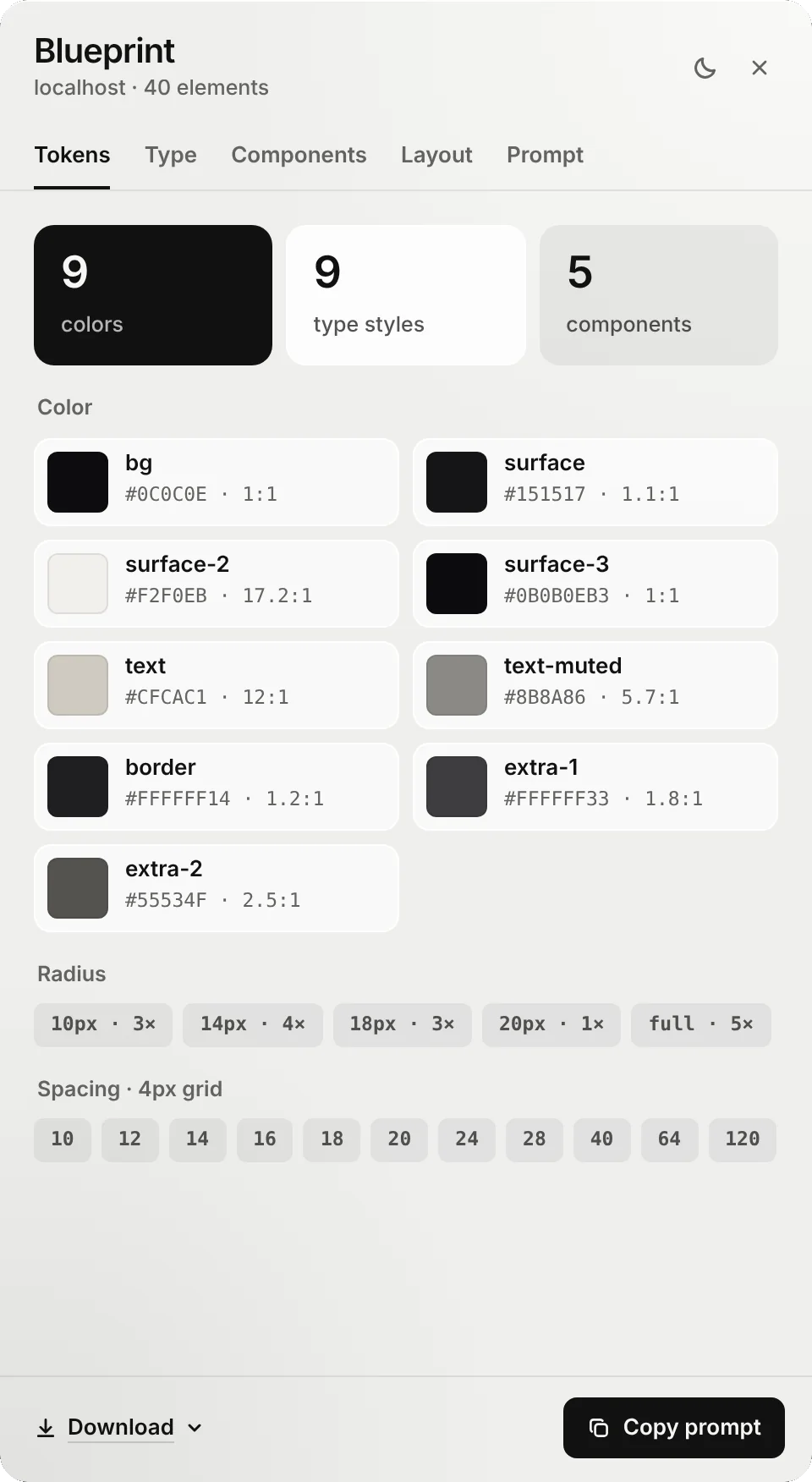
Build for where it ships. Pick a target and the whole prompt changes with it.
Web or Power Platform, each prompt names the plugin to use and the file to deliver.
Three steps. Capture, build, compare.
Pin Scaffold to your toolbar first: click the puzzle icon next to the address bar, then the pin next to Scaffold.
Capture the original
On the page you like, click the Scaffold icon or press Alt+Shift+B. Press B for Blueprint, choose Build for, then Download → Reference pack.
Build with your AI
Give the pack to Claude, Copilot or Cursor. For Power Platform, run the plugin skill the prompt names and paste the spec.
Compare the rebuild
Open your rebuild and right-click the Scaffold icon. Choose Compare with a reference pack and pick the same zip.
Compare lives on the icon. Right-click it on your rebuilt page.
- Open the page you built, in the same browser.
- Right-click the Scaffold icon in the toolbar.
- Choose Compare with a reference pack.
- Pick the zip you downloaded in step 1. Or press Alt+Shift+C.
Illustration. Your browser's menu has a few more items.
Every fix. Right where you look.
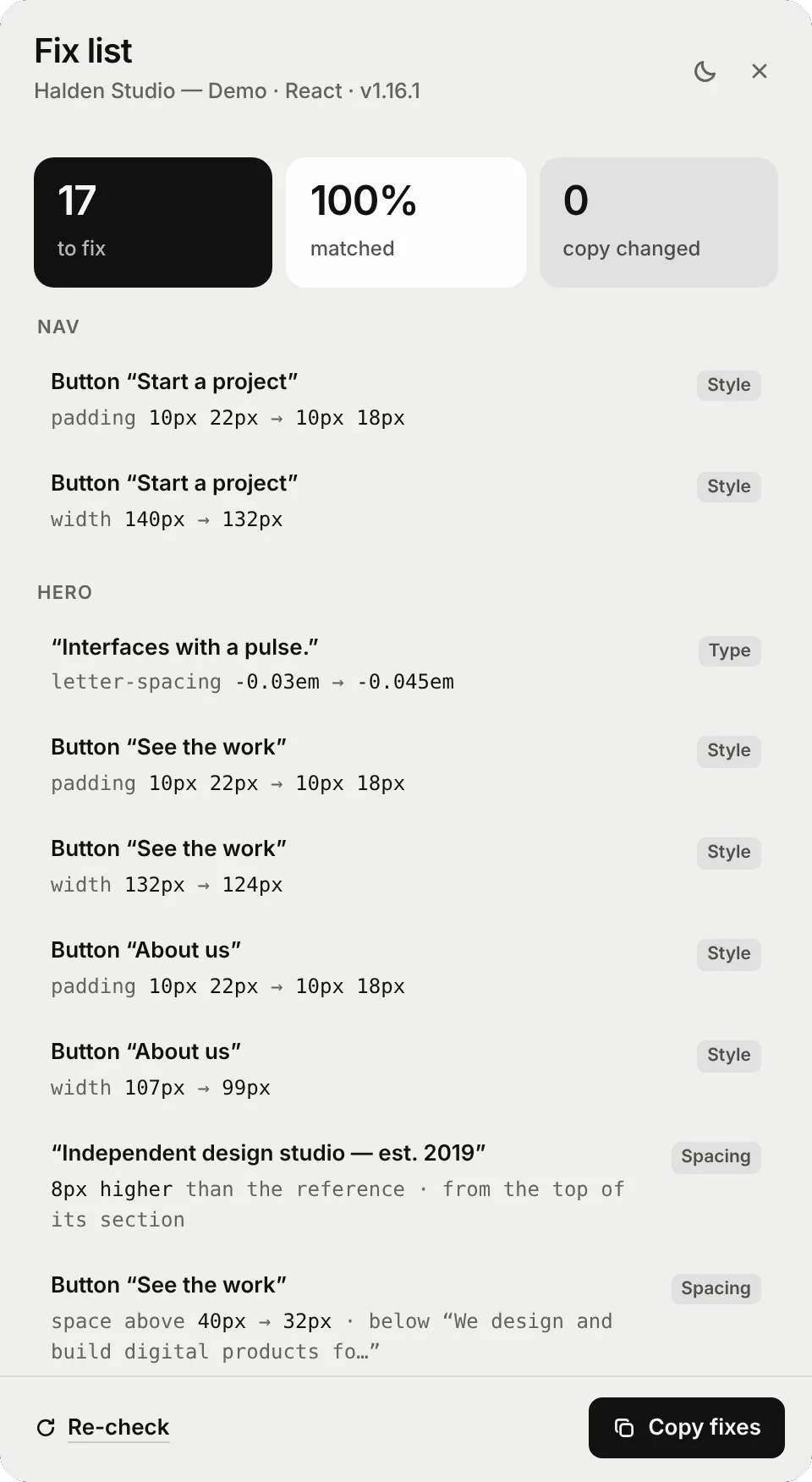
Scaffold lays the original over your rebuild and lists every element that's off, by how much, and why.
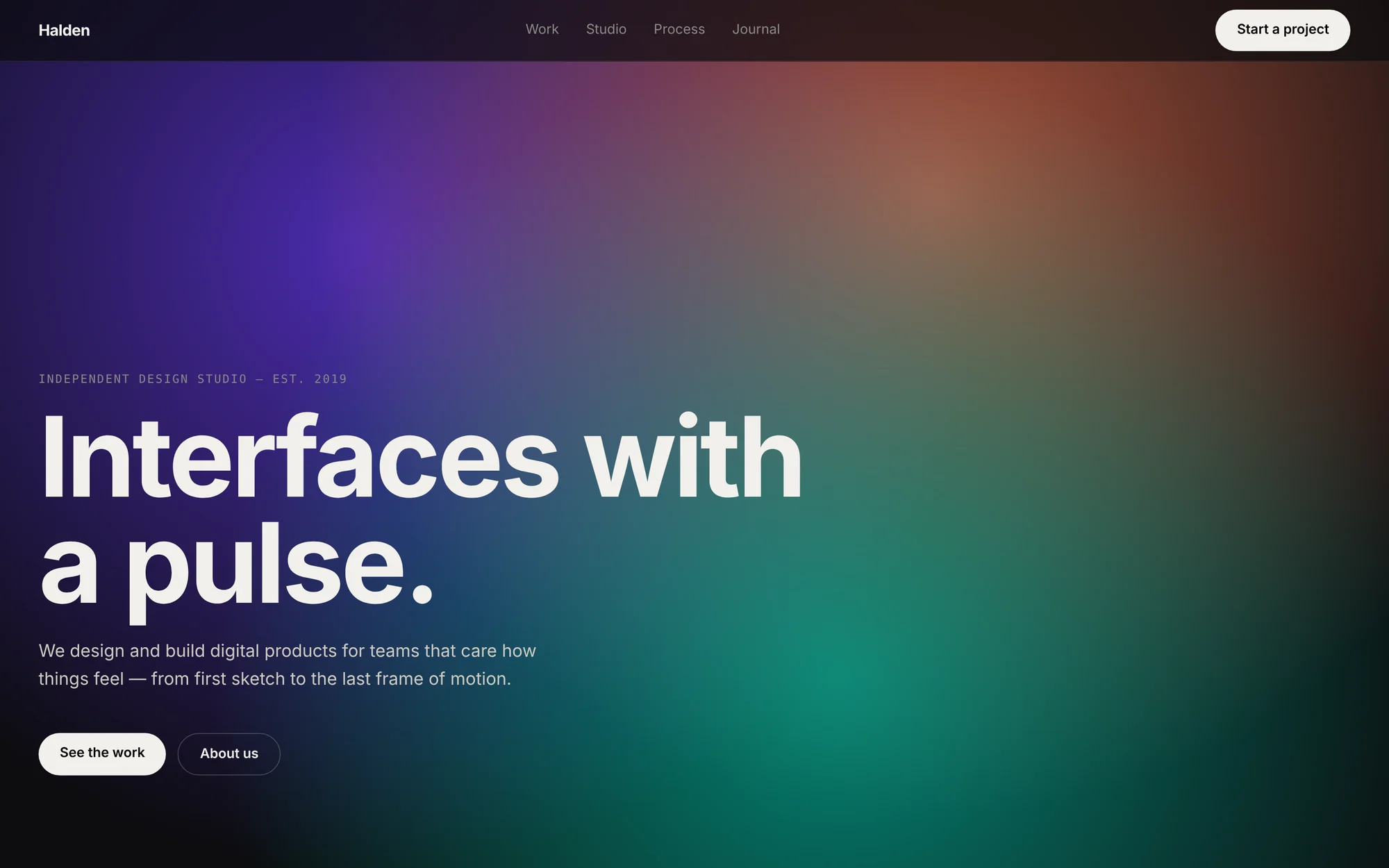
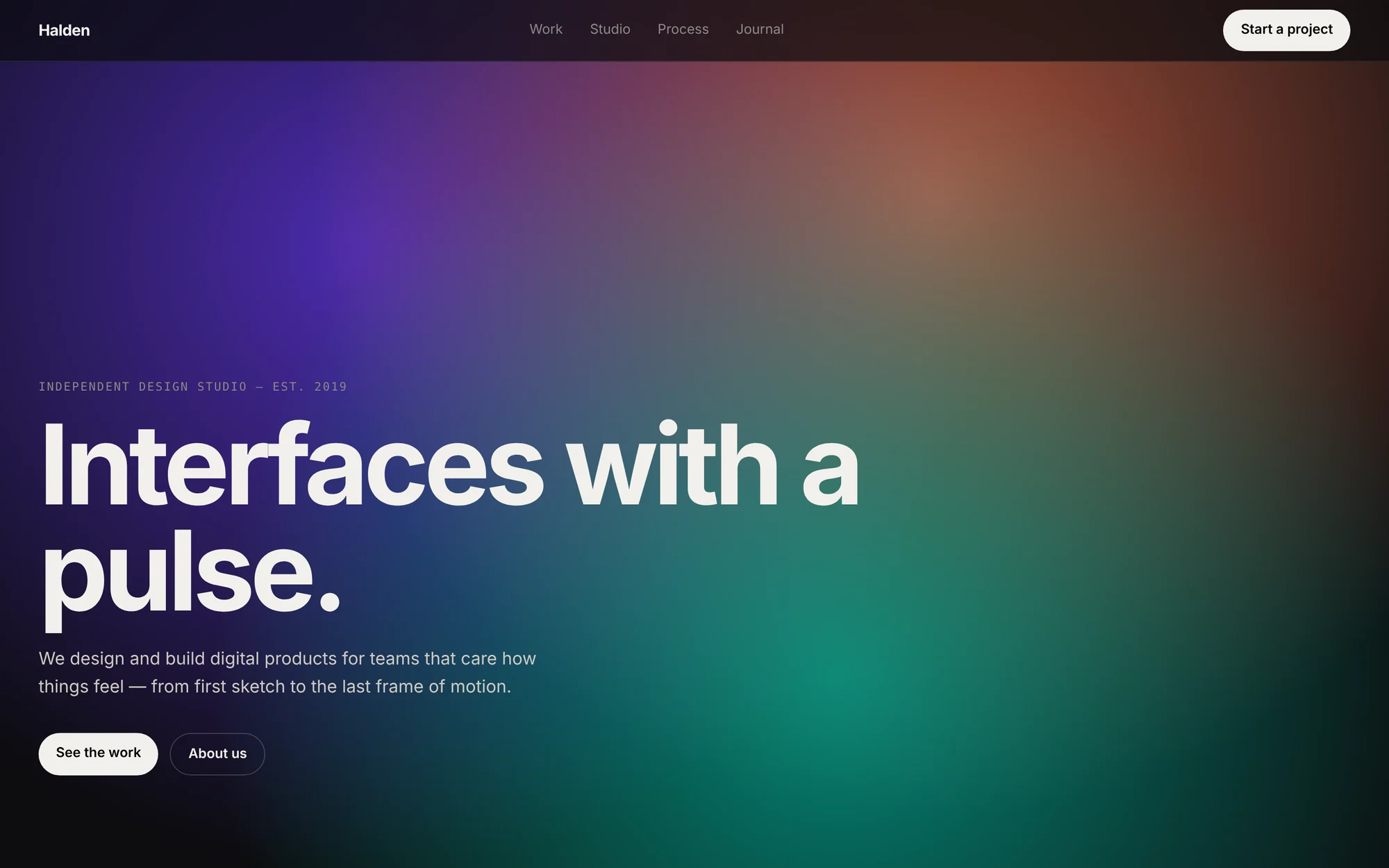 OriginalRebuilt
Go on, drag the bar. The buttons and headline give it away.
17 to fix. Each one exact. “Padding 10px 22px, should be 10px 18px.”
Copy the list into your AI, apply, re-check. Font swaps a platform requires are kept on purpose, not flagged. Match size lines the capture up on any monitor, from a 13-inch laptop to an ultrawide.
Which download? Usually just one.
Blueprint's Download menu has five files. Here's what each is for.
Reference pack (.zip)Start here
Screenshots, the page source, tokens and the build prompt, in one file. Give it to your AI to build, then open it in Compare to check the result. If you download one thing, make it this.
Design skill (.zip)
A SKILL.md folder for agents like Claude Code. Install it once and every later page the agent builds stays on brand, without re-pasting the spec.
tokens.css
Colors, type, spacing and radius as CSS variables. Drop it into a codebase you already have.
prompt.md
Just the build prompt, as a file. For tools that read a file instead of a paste, like the Mobile Apps /design-system step. To paste into a chat, use Copy prompt.
blueprint.json
Everything Blueprint extracted, as data. For your own scripts and tools. Most people never need it.
Take a closer look.
- Interaction statesHover, focus, pressed and disabled, read straight from the page's CSS.
- Contrast on every colorEach token shows its ratio against the page background.
- The real gridSpacing snaps to the 4px or 8px grid the page uses.
- Match sizeCompare resizes the window to the capture, or zooms out on smaller screens.
- Kept on purposeFont swaps a platform requires, and their tracking, aren't counted as errors.
- Works inside Power AppsFinds pages in embedded frames and inner scroll areas.
- Keyboard firstB Blueprint, C Compare, Space pause, R replay.
- Light and dark panelsSwitch the panels with one click.
- Sound you can muteSynthesized in your browser. M turns it off.
- Record-readyH hides the dock. Three build speeds with 1 2 3.
Everything it needs. Nothing it doesn't.
Your pages stay yours.
No account to start.
Free needs nothing. Pro unlocks with the email you paid with: a one-time code, no password.
Your pages never leave your browser.
No analytics. What Scaffold captures goes only where you save it. The Pro check sends only your license, never a page.
Asks before it reads.
It runs only on the tab you start it on, and asks once before reading a framed app on another domain.
Tech Specs
- Price
- Free to start. Pro $8/month billed yearly, or $12 monthly. Founding lifetime $149 once.
- Browsers
- Google Chrome and Microsoft Edge, current versions
- Power Platform
- Generative Pages, Code Apps, Canvas Apps, Power Pages, Mobile Apps, MCP Apps, using Microsoft's power-platform-skills plugins
- Web
- React with TypeScript and Tailwind, plain HTML
- Downloads
- Reference pack (.zip), design skill (.zip), tokens.css, prompt.md, blueprint.json
- Compare
- Slider, Overlay, Difference and a fix list. Match size for any monitor.
- Works with
- Claude, ChatGPT, Copilot, Cursor and any tool that reads Markdown
- Permissions
- activeTab, scripting, offscreen, contextMenus. Site access only when you allow it.
- Size
- 126 KB
- Account and data
- None for Free. Pro: your email and a random ID per browser, to check the license. Nothing about the pages you use.
Start free. Go Pro for Power Platform.
Full refund within 14 days of buying, or of a yearly renewal. No questions asked.
Free
Forever
- The rebuild, for recordings and launch reels
- Blueprint: tokens, type, components, layout
- React and HTML prompts
Pro
$96 billed yearly
Billed monthly, cancel any time
- Everything in Free
- All six Power Platform targets
- Reference packs and design skills
- Compare with fix lists
Founding lifetime
Pro, forever
- Everything in Pro
- Every update, including new targets
- A direct line for feature requests
Questions, answered.
Which download do I need?
Usually just the reference pack. It holds the screenshots, source, tokens and prompt, and it's the file Compare opens later.
- Design skill: for agents like Claude Code, so later pages stay on brand.
- tokens.css: for a codebase you already have.
- prompt.md: for tools that read a file, like the Mobile Apps
/design-systemstep. - blueprint.json: raw data for your own tools.
How do I open Compare?
On your rebuilt page, right-click the Scaffold icon in the toolbar and choose Compare with a reference pack, or press Alt+Shift+C. Then pick the zip you downloaded from the original. If you don't see the icon, click the puzzle icon and pin Scaffold.
Do I need the Power Platform plugins?
For Power Platform targets, yes. Each prompt starts with a Step 0 that checks Microsoft's power-platform-skills plugin for that target is installed, and installs it if it isn't. React and HTML need nothing extra.
How do I turn on Pro after buying?
In Scaffold, open Blueprint and click Unlock Pro. Enter the email you paid with, then the 6-digit code we email you. Pro works in up to 3 browsers; turning it on in a 4th turns it off in the one you used least recently.
Does Scaffold copy websites?
No. It captures a style: tokens, type, layout and components. Every prompt tells the model to write original copy, use its own imagery, and leave out logos, brand names and trademarks.
Does anything leave my browser?
Nothing you capture does. Captures, screenshots and packs are built in your browser and saved to your computer, and there are no analytics. If you have Pro, Scaffold checks your license about once a day, sending only your license and a random ID for the browser. The privacy policy lists exactly what it touches.
Which AI does it work with?
Any. Prompts and skills are plain Markdown for Claude, ChatGPT, Copilot, Cursor and other tools.
What if my screen is a different size from the capture?
Compare lines the original up with your page at any size. Match size sets the window to the captured size, and zooms out on screens too small for it.
Can I get a refund?
Yes. Full refund within 14 days of your first purchase, of a yearly renewal, or of buying the lifetime license, no questions asked. Monthly renewals aren't refunded, but you can cancel any time. See the terms.
Is Scaffold made by Microsoft?
No. Scaffold is independent and isn't affiliated with or endorsed by Microsoft or Google.